
Postcode look up allows for existing, regestered addresses to be added to a Patient Record by looking up their postcode in a national register.
For this, and account with ‘Getaddress’ is required.
Getting a ‘Getaddress’ API key.
- Navigate to https://getaddress.io/
- Select ‘Get API key’
- Enter a valid email address to recieve your API key
- At time of writing up to 20 requests a day is included for free. Other plans are available
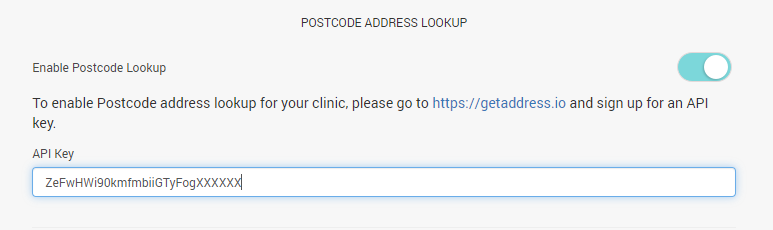
Enable Postcode LookUp
- From the Control Centre select the Settings -> Profile page
- Toggle ‘Enable Postcode Lookup’ to on
- Enter your API key
- Click ‘Save’ to save changes

Using Postcode LookUp
- Select a patient from the Patient tab in the Control Centre
- Under the ‘Find Address from Postcode’, enter a valid postcode
- A pop up window with the results will appear, seelct the correct address
- The information will automatically populate the patient record fields