
The Consultation tool allows you to prepare for, record and manage a full and through consultation.
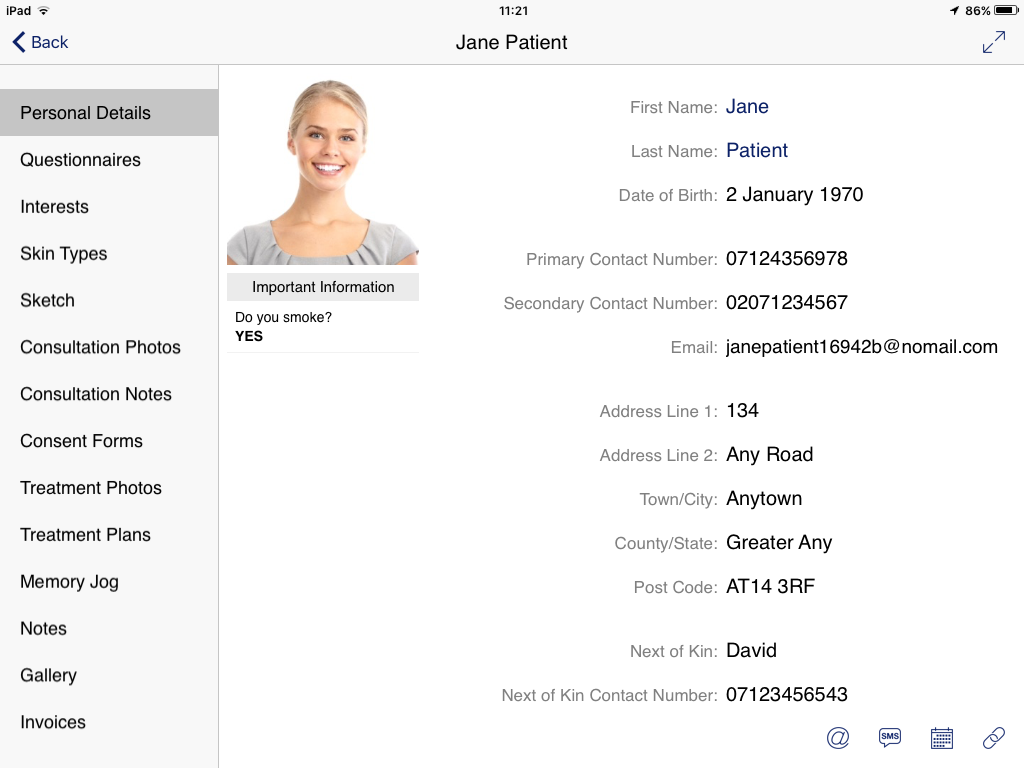
It is designed to allow you easy access to your patient’s information and provoke conversation with them.
You can enter the Consultation Tool from either the Patient List, or directly from the appointment details in the Calendar
Calendar
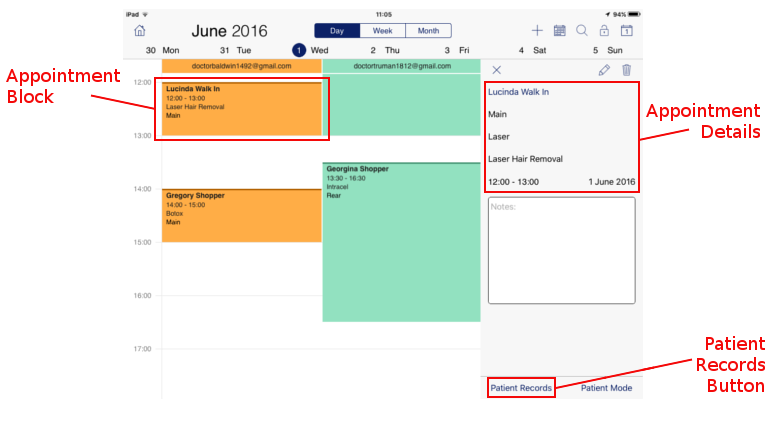
- From the Main Home Screen select the ‘Calendar’
- Navigate to the desired date and select an appointment by tapping the ‘Appointment Block’
- Details of the appointment appear on the right hand side of the screen
- At the very bottom right of the screen is the ‘Patient Record’ button.
- Tapping the ‘Patient Record’ button will initiate the Consultation Tool for that patient
Patient List
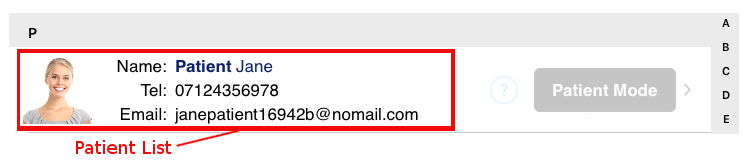
- From the Main Home Screen select ‘Patient’
- Navigate to the desired Patient in the Patient List
- Tapping the ‘Patient Details’ will initiate the Consultation Tool for that patient