
System Emails can be editing using the Email Builder.
From the Control Centre select Marketing – Email Builder – System Emails
- Select the Email you wish to edit
- Use the Email Builder interface to build your email around the existing text
- The text in boxes are variables and will be replaced by data specific to each email that is sent
We recommend keeping the existing text to begin with to help shape your email content as this contains the variables needed for each email to perform it’s function.
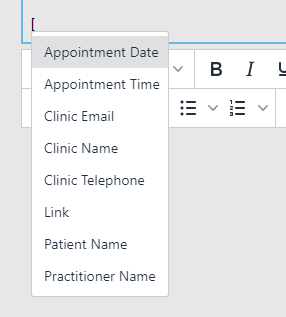
Variables can be added to the content of the mail by selecting from the variables list. To add a variable type ‘[‘ into the text area of your email.
- Once completed click ‘Save’ to save your email template